Your Google Business Profile is the digital storefront for your local business. When someone nearby searches for what you offer, a well-optimized profile is what makes the difference between them calling you and calling your competitor.
The stakes are real. A study by Google showed that 70% of consumers who search for a local business on their phone visit or contact that business within 24 hours. Your profile is their first touchpoint. It either converts or it doesn’t.

This guide covers exactly how to optimize your Google Business Profile in 2026, from the fundamentals to advanced tactics that drive real traffic and leads.
Table of Contents
What Is Google Business Profile?
Google Business Profile (GBP) is the official tool that controls how your business appears across Google Search and Google Maps. It’s a free listing where you manage your business name, address, phone number, hours, photos, reviews, posts, and customer interactions.
When someone searches for your type of business nearby, GBP is what shows up in the local pack, on Google Maps, and in the knowledge panel. It’s not optional for local businesses. It’s essential.
“Google Business Profile is a free tool that lets you control how your business appears on Google Search and Google Maps. When you optimize your profile with accurate information, quality photos, regular posts, and customer engagement, you improve your visibility in local search results and make it easier for nearby customersto find and contact you.
”
The power of GBP is simple: it connects you directly with people actively searching for your service in your location, at the exact moment they’re ready to buy.

Why Your Google Business Profile Matters in 2026
Local search has never been more important. Here’s what the data shows.
Google processes over 8 billion local searches per month. Most of these searches happen on mobile devices, and most result in an action within 24 hours. A business that ranks in the local pack for competitive terms can expect significant traffic spikes.
But here’s the thing: you don’t need to be ranked number one to win. Appearing in the local pack at all (positions 1-3) puts you in front of high-intent customers. The visibility alone drives calls, visits, and revenue.
Your Google Business Profile matters because it directly controls your visibility in local search. When your profile is complete, accurate, and actively maintained, Google rewards it with better rankings. This translates into more phone calls, visits, and sales from people searching for your business in your area.
”Beyond rankings, GBP also builds trust. Customers see your reviews, photos, hours, and business details all in one place. A strong profile signals professionalism and responsiveness.
How Google Ranks Local Businesses in 2026
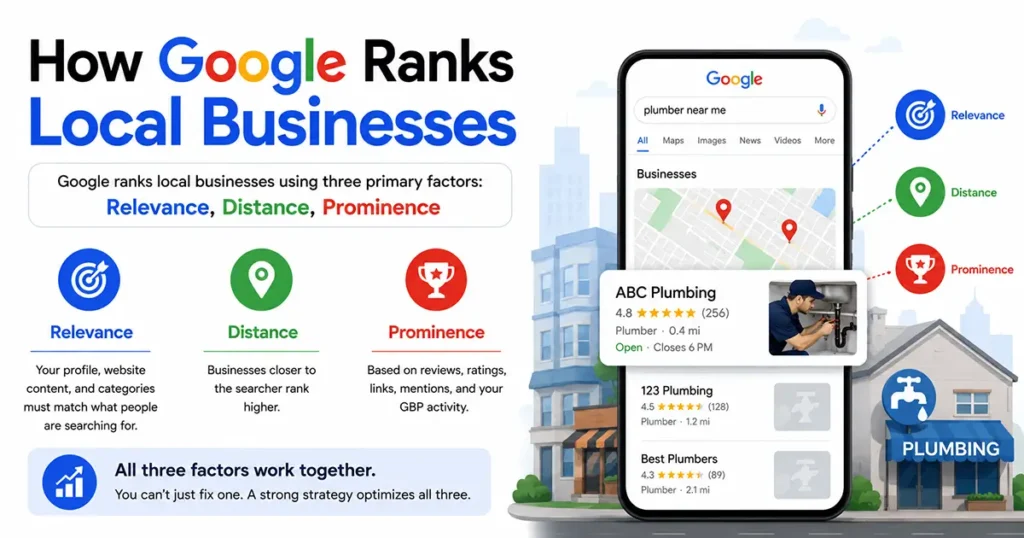
Google ranks local businesses using three primary factors: relevance, distance, and prominence.
Google’s three local ranking factors: Relevance, Distance, Prominence
Relevance means your profile information matches what the person is searching for. If you’re a plumber and someone searches “plumber near me,” Google checks whether your profile, website content, and categories clearly establish you as a plumber.
Distance is straightforward. Businesses closer to the searcher rank higher. If two plumbers are equally relevant and prominent, the one closer to the customer appears first.
Prominence is how well-known and trusted your business is. Google measures this through review volume and ratings, the number of quality links to your website, mentions across the web, and your GBP activity level.
All three factors work together. You can’t just fix one. A strong optimization strategy attacks all three simultaneously.
Step 1: Create or Claim Your Google Business Profile
Before you optimize, you need to own your profile.
If you’ve never created a Google Business Profile (GBP), go to business.google.com and start the process. You’ll provide your business name, address, phone number, category, and service area. Google will then send you a verification code by mail (for location-based businesses) or by email or phone (for some service businesses).
If your profile already exists but you don’t own it, you need to claim it. Search for your business name on Google Maps. If a listing exists, click on it and select “Claim this business” at the bottom. Google will verify you’re authorized to represent the business.
Pro tip: Don’t skip verification. Unverified profiles are less visible and less trustworthy. Complete the verification process, even if it takes a week to receive the postcard.
Step 2: Complete Your Business Information Fully
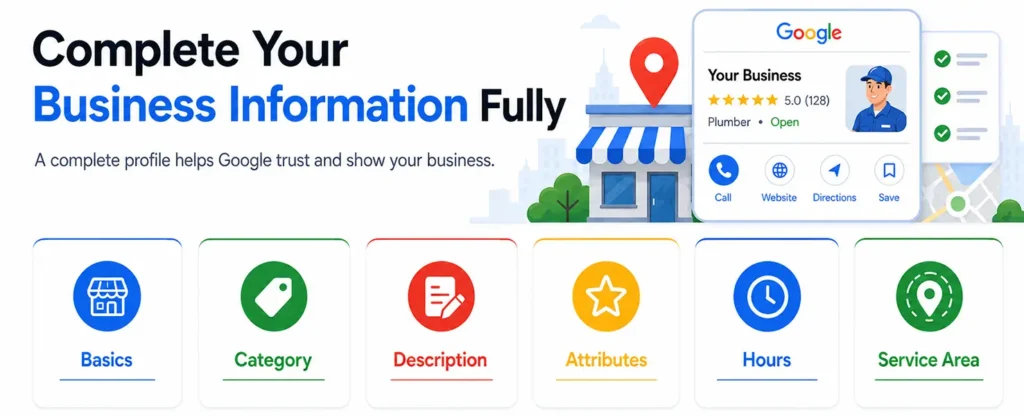
Profile strength directly correlates with GBP visibility. The more complete your information, the more Google will show your profile.
Start with the basics. Make sure your business name, address, phone number, and website are accurate and consistent everywhere. Inconsistencies hurt your rankings.
Then fill in every available field.
Business Category is critical. Choose the primary category that best describes what you do. This is a major relevance signal. If you run a salon offering hair, nails, and massage, pick “Hair Salon” as primary and add secondary categories for nails and massage. Don’t be vague.
Business Description should clearly state what you offer and why customers should choose you. Use natural language. “Award-winning family dentist serving the Lincoln area for 15 years” is better than “dentistry dental teeth cleaning.”
Attributes are small details that help Google match you to specific searches. Does your business have free Wi-Fi? Parking? Do you offer same-day service? Add these. They show up in search results and help you appear for more specific queries.
Hours must be accurate. Update special hours during holidays. If your hours change seasonally, tell Google. Outdated hours lead to negative reviews and lost customers.
Service Area tells Google where you operate. If you’re a service business without a storefront, set your service area instead of a fixed address. This expands your visibility to surrounding areas.
Step 3: Upload High-Quality Photos and Videos
Photos are one of the biggest drivers of engagement and ranking improvement. Profiles with many quality photos get significantly more clicks than those without.
Upload photos that show:
- Your storefront or office exterior
- Your team in action
- Your product or service in use
- Your workspace or interior
- Before or after examples (if relevant)
- Recent customer events or milestones
Use clear, well-lit images. Phone camera quality is fine. Avoid heavy filters or outdated photos.
Videos perform even better than photos. A 15-30 second video of your business, your team greeting customers, or your service process gets more engagement than static images.
Add captions to your photos. Describe what customers are seeing. This helps with accessibility and gives Google more context.
Step 4: Optimize Your Categories and Attributes
Your primary category is a ranking signal. Too broad and you’ll compete with huge businesses. Too narrow and no one will find you.
Test different primary categories and see which one matches your actual customer searches. If you’re a dentist, “Dentist” works better than “Health Professional” because it’s more specific.
Secondary categories add context. A salon might list “Hair Salon” primary with “Nail Salon” and “Massage Therapist” as secondary categories.
Attributes are small add-ons that increase your profile strength. They include things like “offers same-day service,” “has wheelchair accessible entrance,” “accepts online reservations,” and 50+ others. Add every attribute that applies to your business.
Step 5: Manage Customer Reviews and Respond
Reviews are both a ranking factor and a conversion factor. More reviews and higher ratings improve your local rankings. Positive reviews also convince customers to call or visit.
Actively request reviews. After every transaction, ask customers to leave a review. Send them a link directly to your Google review page. Make it frictionless. Most happy customers will leave a review if you ask.
Respond to every review, positive and negative. Thank people for positive reviews. For negative reviews, respond professionally and offline if possible. This shows Google (and future customers) that you care about feedback.
A business with 100+ recent reviews will consistently outrank a competitor with 10 old reviews. Consistency matters more than volume. One review per week is better than 50 reviews all in one month.
Step 6: Create Regular Posts and Updates
GBP posts are an underutilized feature that boosts visibility and engagement.
Post updates about:
- Current promotions or special offers
- New products or services
- Seasonal hours or special events
- Behind-the-scenes team photos
- Company milestones or news
- Tips or advice relevant to your industry
Posts expire after 7 days, so they signal that your business is active. Google rewards active, regularly updated profiles with better visibility.
Aim for one post per week. It takes 2 minutes and the visibility boost is real.
Step 7: Enable and Manage Q&A
The Q&A section lets customers ask questions about your business publicly. Other customers and you can answer.
Monitor your Q&A regularly. Answer customer questions quickly and accurately. If someone asks “Do you offer appointments?” or “What’s your pricing?”, answer it. These Q&A interactions build trust and provide information Google ranks.
Some questions will be negative or spam. Delete or flag them if appropriate. Most questions are genuine and deserve a professional response.
Step 8: Verify Your Business Address
Address verification is a trust signal. Verified profiles rank higher.
If you have a physical location customers can visit, Google will verify via postcard. If you don’t have a public address, you can verify via phone or email.
Complete verification before launching any serious optimization effort. It takes a week but it’s essential.
Step 9: Use Google Business Profile Insights
Your Google Business Profile dashboard has a section called “Insights” that shows:
- How many people searched for your business
- Where they searched from
- What search terms brought them to your profile
- How many people called you
- How many people visited your website
- How many people asked for directions
Use this data. If you notice that 60% of your profile views come from searches for “plumber near me” but only 5% from “emergency plumber,” you now know to emphasize emergency services in your description and posts.
Insights guide your optimization decisions. They’re free and powerful.
Step 10: Keep Your Profile Current and Secure
GBP requires ongoing maintenance, not one-time setup.
Set a calendar reminder to review and update your profile monthly. Check that:
- Hours are still accurate (especially if you have seasonal changes)
- Photos are recent
- Information matches your website
- New reviews have been addressed
- Posts from the last week exist
Also protect your profile from unauthorized changes. Use strong passwords. Don’t share login credentials. If you use multiple team members, assign them roles with limited permissions.
If you notice suspicious activity or incorrect information, report it to Google immediately. Profile hacking is rare but it happens.
Common GBP Optimization Mistakes to Avoid
Inconsistent NAP (Name, Address, Phone Number). If your profile says one phone number but your website says another, Google gets confused. Consistency across all platforms matters.
Vague or misleading categories. Choosing “General Contractor” when you’re actually a plumber hurts your relevance. Be specific.
No photos. A profile without photos gets 30-40% fewer clicks than one with 5+ photos. Photos are low-hanging fruit.
Ignoring reviews. Not responding to customer reviews signals indifference. Customers notice and avoid you.
Outdated information. Hours that are wrong, a phone number that’s disconnected, a service you no longer offer. These create friction and negative reviews.
No posts. If your profile has no posts and no recent updates, Google treats it as inactive. Even one post per month helps.
Keyword stuffing. Cramming keywords into your description looks spammy. Write naturally.
How Long Does GBP Optimization Take to Show Results?
Results vary based on your local market’s competition level.
In moderately competitive areas, a well-optimized profile can rank in the local pack within 6-12 weeks. In highly competitive markets, it might take 3-6 months. In less competitive areas, sometimes faster.
The businesses that see consistent improvement treat GBP optimization as an ongoing process, not a one-time project. A profile you’ve been actively maintaining for one year will dramatically outperform one you set up and forgot about.
Google Business Profile in 2026: What’s New
A few features and changes worth noting:
AI Overviews. Google’s AI-powered search summaries are appearing for some local queries. When an AI Overview appears, it pulls information from top-ranking business profiles. A complete, well-maintained GBP makes you more likely to get cited.
Booking Integration. You can now connect appointment booking directly through your GBP. If you’re a salon, dentist, or coach, customers can book directly without leaving Google. Enabling this feature increases conversions.
In-Store Products. Retail businesses can now showcase in-stock items on their profile. If you have specific inventory you want to highlight, this is a direct way to reach customers searching for those products.
Enhanced Attributes. Google keeps adding new attributes. Check your profile regularly for new fields relevant to your business.
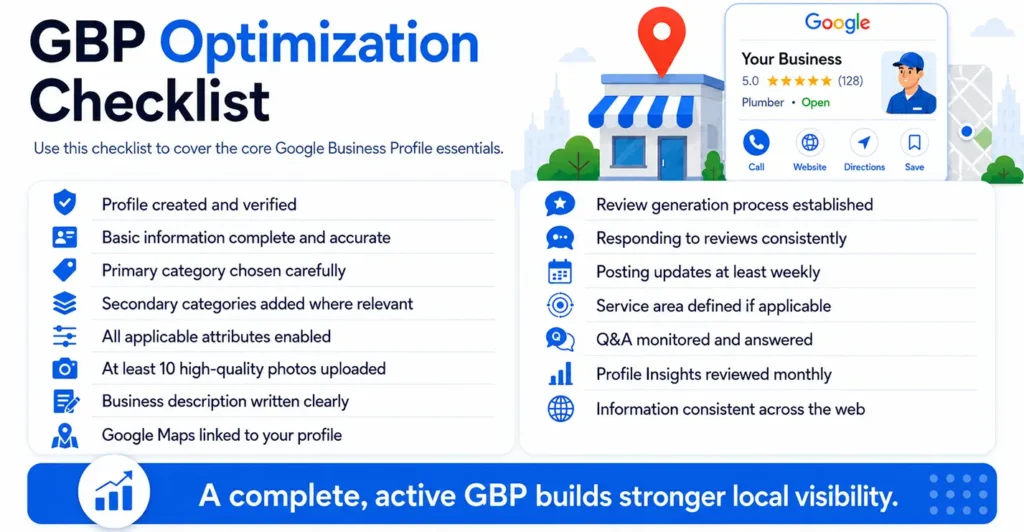
GBP Optimization Checklist
Use this checklist to ensure you’ve covered the fundamentals:
- Profile created and verified
- All basic information complete and accurate (name, address, phone, website, hours)
- Primary category chosen carefully
- Secondary categories added where relevant
- All applicable attributes enabled
- At least 10 high-quality photos uploaded
- Business description written clearly
- Google Maps linked to your profile
- Review generation process established
- Responding to reviews consistently
- Posting updates at least weekly
- Service area defined (if applicable)
- Q&A monitored and answered
- Profile Insights reviewed monthly
- Information checked for consistency across web
Frequently Asked Questions
Q: Does Google Business Profile help with SEO?
Yes. GBP signals directly influence local rankings. A strong profile also generates citations and mentions that support your broader local SEO strategy.
Q: Can I have multiple profiles for one business?
No. Google allows one profile per business location. Multiple profiles violate Google’s policies and can result in suspension.
Q: How often should I post on GBP?
Aim for weekly. One post per week is enough to signal activity. More is fine if you have content, but consistency matters more than frequency.
Q: Do reviews affect local rankings?
Yes. Review volume, recency, and rating all influence local pack rankings. More recent reviews matter more than old ones.
Q: What if my business is listed under the wrong category?
Change it immediately. Go to your profile, click on the category section, and select the most accurate category. This is a major ranking factor.
Q: How long does verification take?
If you verify by postcard, typically 5-7 days from the date you request it. Email and phone verification are instant.
Final Thought
Optimizing your Google Business Profile is one of the highest ROI investments a local business owner can make. It’s free, it’s direct, and the results are measurable.
The key is treating it like an ongoing process, not a one-time setup. A profile you actively manage will consistently outperform a neglected profile. Post weekly, respond to reviews promptly, keep information current, and watch your local visibility grow. Start with the checklist. Complete every item. Then maintain it monthly. That consistency is what separates businesses that get calls from businesses that don’t.