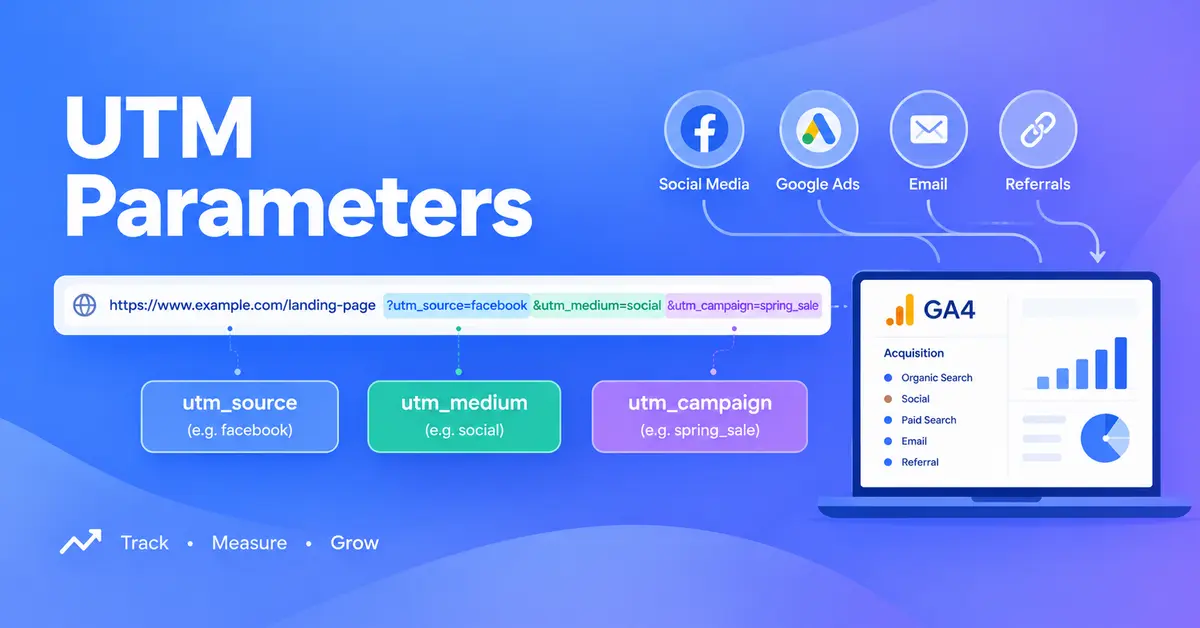
Your newsletter, your Instagram bio link and your paid ads can all send people to the same page. Without UTM parameters, GA4 often can’t tell them apart, and you end up guessing which one worked.
UTM parameters fix that with a few words added to the end of a link. This guide covers what they are, how to build them, which values GA4 expects, and the small mistakes that quietly wreck your reports.
Table of Contents
What Are UTM Parameters?
UTM parameters are short tags added to the end of a link that tell your analytics tool where a visitor came from. They name the source, the type of marketing and the campaign, such as a newsletter or a paid social ad. GA4 reads them and reports each visit accordingly.
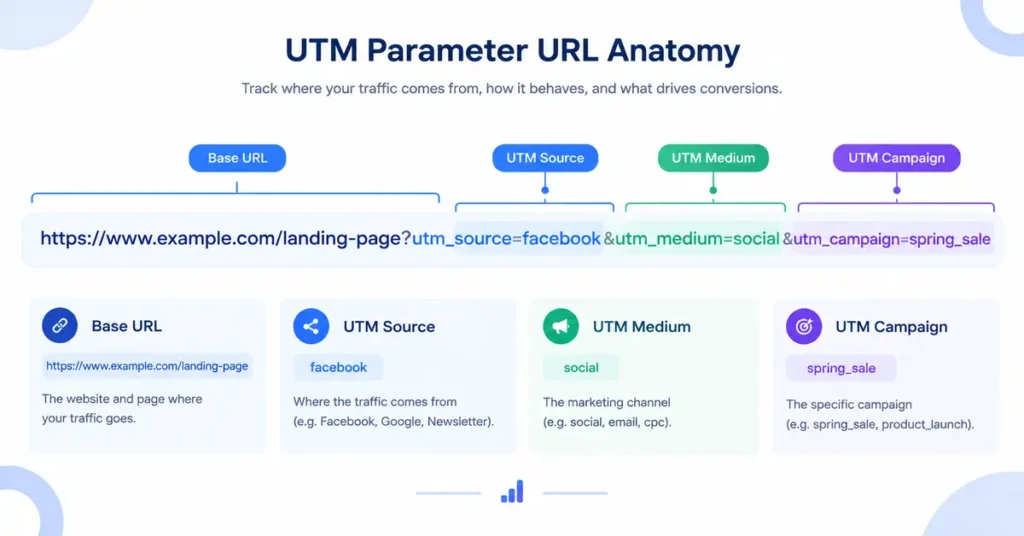
Here’s a tagged link, broken into parts:
https://www.example.com/summer-sale/?utm_source=newsletter&utm_medium=email&utm_campaign=summer-sale
Everything after the ? is tracking. Each parameter is a name and a value joined by =, and an & separates one parameter from the next. The page doesn’t change. Visitors see the same content, and GA4 learns where they came from.
UTM stands for Urchin Tracking Module. Urchin was the analytics company Google bought in 2005 and turned into Google Analytics.
What Does Each UTM Parameter Do?
Most guides teach five UTM parameters. Google’s current GA4 documentation lists nine. Here they all are, with Google’s own descriptions and examples.
| Parameter | What it identifies | Example | Use it? |
|---|---|---|---|
utm_source | Where the traffic came from | google, newsletter, facebook | Always |
utm_medium | The type of marketing | cpc, banner, email | Always |
utm_campaign | The product, slogan or promo | summer-sale | Always |
utm_id | A campaign ID that matches data you upload to GA4 | spring-2026-01 | When you upload campaign data |
utm_source_platform | The platform that directs traffic to your property | Search Ads 360 | Optional |
utm_term | The paid keyword | running-shoes | Optional |
utm_content | The specific creative or link | header-button | Optional |
utm_creative_format | The type of creative | video, display | Not reported in GA4 today |
utm_marketing_tactic | The targeting approach | remarketing, prospecting | Not reported in GA4 today |
Google’s rule is short: always use utm_source, utm_medium and utm_campaign. Leave one out and that field shows as “(not set)” in your reports. Google also states that GA4 doesn’t currently report utm_creative_format or utm_marketing_tactic, so skip those two for now.
utm_content earns its place more often than people expect. Two buttons in the same email can carry different values, so you can see which one people actually clicked.
How Do You Create a UTM Link?
Four steps. The first one matters most.
- Agree your naming rules first. Decide how you’ll write sources, mediums and campaign names before anyone builds a link. Lowercase, hyphens between words, no spaces. Put the rules in a shared spreadsheet so everyone tags the same way.
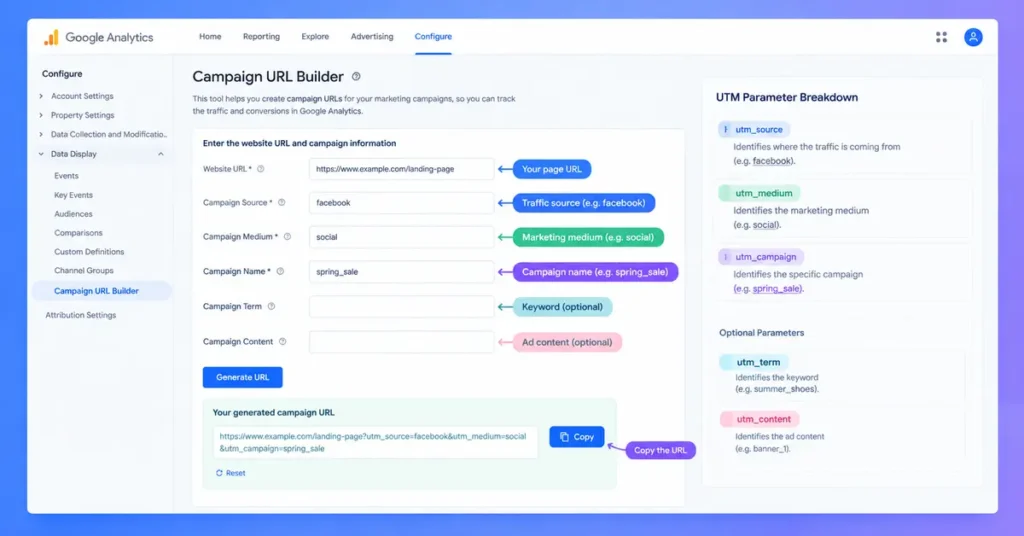
- Build the link with a tool. Google’s free Campaign URL Builder adds the parameters for you. Paste your page address, fill in the fields, and copy the finished link. Hand-typed tags invite typos.
- Test the link yourself. Click it and check that the page loads with the parameters still in the address bar. Some redirects strip everything after the
?, and the tracking disappears with it. - Use the same values everywhere that campaign runs. One source, one medium and one campaign name across every placement. Your numbers then add up in one row instead of five.
Which Values Put Traffic in the Right GA4 Channel?
Most UTM setups go wrong here, and the cause is usually a single word.
GA4 sorts every visit into a channel, such as Email, Paid Social or Organic Social. It uses fixed rules built on your source and medium values. Use a value GA4 doesn’t recognize and the visit can land in the wrong channel, or in Unassigned. Google defines Unassigned as the value GA4 uses when no other channel rule matches the data.
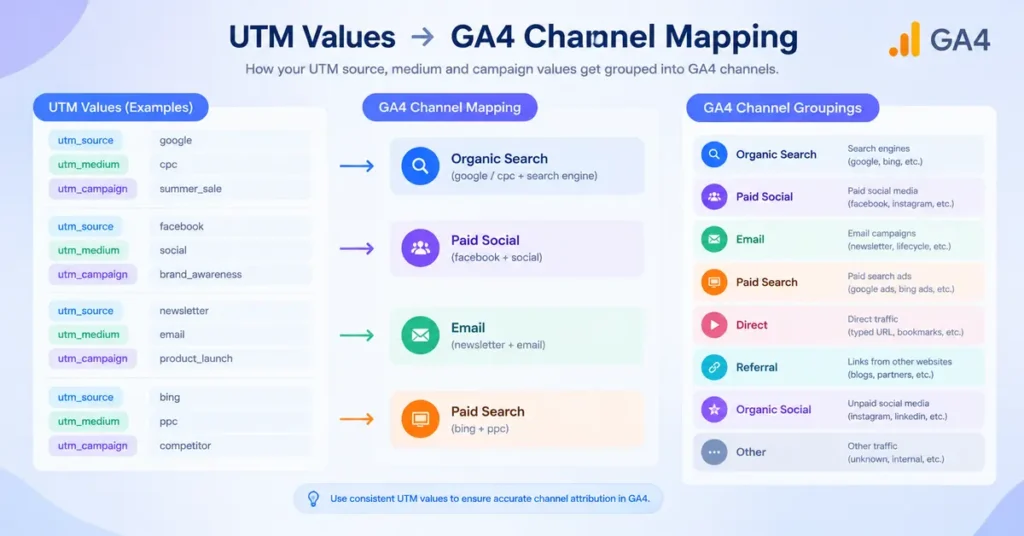
This table follows Google’s published default channel group rules.
| Traffic | Use these values | GA4 channel | The rule behind it |
|---|---|---|---|
| Email newsletter | utm_medium=email | Source or medium is email, e-mail, e_mail or e mail | |
| Organic social post | utm_source=facebook, utm_medium=social | Organic Social | Source is a known social site, or medium is social, social-network, social-media, sm, social network or social media |
| Paid social ad | utm_source=facebook, utm_medium=paid-social | Paid Social | Known social source plus a paid medium (contains “cp”, or is ppc or retargeting, or starts with “paid”) |
| Paid search (not Google Ads) | utm_source=bing, utm_medium=cpc | Paid Search | Known search source plus the same paid medium pattern |
| Display banner | utm_medium=display | Display | Medium is a display value such as display or banner |
| Affiliate partner | utm_medium=affiliate | Affiliates | Medium is exactly affiliate |
| Partner or directory link | utm_medium=referral | Referral | Medium is referral, app or link |
| Text message | utm_medium=sms | SMS | Source or medium exactly matches sms |
| Organic search link | utm_medium=organic | Organic Search | Source is a known search site, or medium is exactly organic |
A paid medium paired with a source GA4 doesn’t recognize as search or social falls into Paid Other. Google’s rule for that channel is a medium matching ^(.*cp.*|ppc|retargeting|paid.*)$.
Three traps catch people again and again:
utm_medium=newsletteris not Email. GA4 only counts the email variants in the table. A “newsletter” medium matches no Email rule and usually lands in Unassigned. Set the medium toemailand keep “newsletter” as the source.- Paid ads tagged
socialcount as organic. A Facebook ad taggedutm_medium=socialgoes into Organic Social. That inflates your organic numbers and hides your ad results. - Made-up mediums go nowhere. Values like
qrorprintmatch no default rule, so GA4 files that traffic as Unassigned. A custom channel group in GA4 can give it a proper home.
How Do You See Campaign Results in GA4?
Open Reports > Acquisition > Traffic acquisition. Google’s documentation says you can view Session source/medium, Session medium, Session source and Session campaign there. Use the dimension dropdown above the table to switch between them.
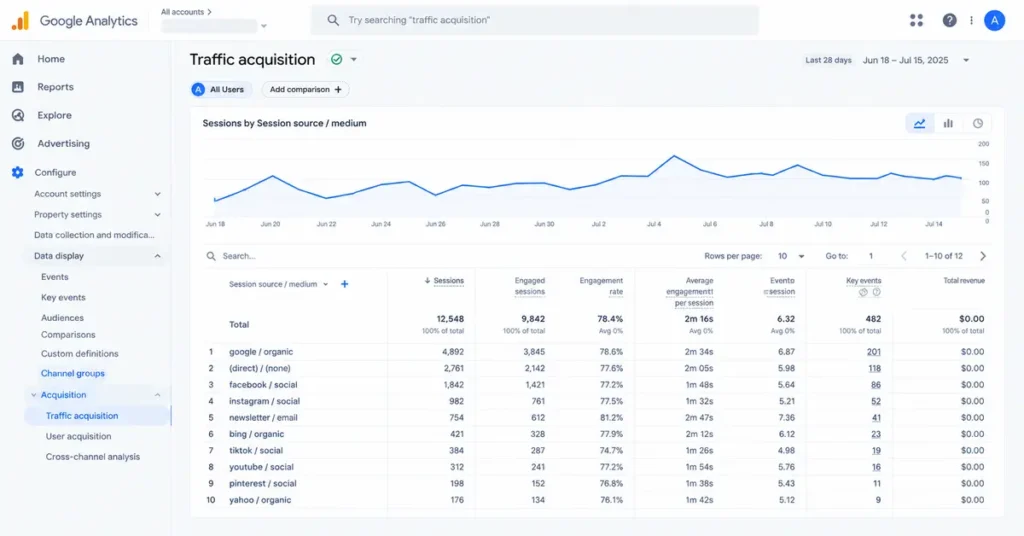
Add your key events to the same view and you can see which campaign produced leads or sales, not just clicks. GA4 needs to be installed and collecting data first, so follow our GA4 setup guide before you tag anything.
For the raw values exactly as you tagged them, build an exploration with the Session manual dimensions, such as Session manual source and Session manual campaign name. These help when you need to check your tagging rather than GA4’s interpretation of it.
Should You Tag Google Ads Links Manually?
Usually not. Google Ads has auto-tagging, which adds its own click ID (gclid) to your links and passes richer data to GA4 than UTMs can.
Google’s GA4 documentation is clear on what happens when both are present. Source, medium and the other traffic-classification dimensions use the auto-tagged values. Your manual utm_content and utm_term values still feed the Manual Ad Content and Manual Term dimensions. Google Ads Help adds that GA4 has no override option, so manual UTMs never win.
Leave auto-tagging on for Google Ads. Save manual UTMs for everything else: Microsoft Ads, Meta, LinkedIn, email, partner sites and print.
New to the platform? Our Google Ads for beginners guide covers the setup. Our Google Ads vs Meta Ads comparison shows where each one fits, so you know which links need manual tags.
What Naming Rules Keep Your Data Clean?
- Use lowercase, always. Google confirms values are case-sensitive.
utm_source=googleandutm_source=Googlereport as two different sources, and Google recommends lowercase as standard practice. - Pick one separator. Hyphens read best:
summer-sale, notSummer Saleone week andsummer_salethe next. Google’s own example showsSpringSaleandSpring_Salecounting as distinct campaigns. - Always fill in source, medium and campaign. Add
utm_idwhen you upload campaign data to GA4 and need the IDs to match. - Never tag internal links. UTMs on links between your own pages can overwrite where the visitor really came from. The email or ad that brought them in then loses the credit.
- Keep personal details out of tags. Names and email addresses don’t belong in a URL. They end up in browser history, server logs and shared links.
- Keep a shared tracking sheet. One list of approved sources, mediums and campaign names stops five people inventing five spellings of “facebook”.
Do UTM Parameters Affect SEO?
Not directly. UTM parameters don’t change how a page ranks.
They do create a different address for the same page, though. A tagged link shared publicly can get crawled, and search engines may treat it as a duplicate of the clean page. A self-referencing canonical tag on each page points them back to the original address. Most modern website platforms add one automatically, so a quick check beats a worry.
That’s one more reason to keep UTMs off your internal links.
Frequently Asked Questions
What does UTM stand for?
UTM stands for Urchin Tracking Module. It’s named after Urchin, the web analytics company Google acquired in 2005 and developed into Google Analytics. The tagging format it created is still the standard way to label campaign links, and almost every analytics tool can read it.
Which UTM parameters are required?
Google says to always use utm_source, utm_medium and utm_campaign. Leave one out and GA4 shows “(not set)” for that field in your reports. That makes campaigns harder to compare and trust over time. The other six parameters add detail but aren’t required.
Are UTM parameters case-sensitive?
Yes. GA4 treats “Facebook” and “facebook” as two different sources, and “SpringSale” and “Spring_Sale” as two different campaigns. Google recommends lowercase as standard practice. A shared naming sheet stops one channel from splitting across several rows in your reports.
Do UTM parameters affect SEO?
Not directly. They don’t change rankings. A tagged URL is technically a different address for the same page, so give each page a canonical tag pointing to its clean URL. Keep UTMs off internal links, where they also distort your analytics.
Should I use UTM parameters on internal links?
No. Tags on links between your own pages can overwrite the visitor’s real source, so the email, ad or post that brought them in loses the credit. Use UTMs only on links that live outside your website, such as emails, ads, social posts and partner sites.
Should I add UTMs to Google Ads links?
Usually not. Keep Google Ads auto-tagging on, because it passes richer data to GA4. When both are present, GA4 uses the auto-tagged values for source and medium, and no setting changes that. Your manual utm_content and utm_term values still appear in their own manual dimensions.
Why is my UTM traffic showing as Unassigned?
GA4 assigns channels using fixed rules on your source and medium values. Values it doesn’t recognize, such as utm_medium=newsletter or utm_medium=qr, match no rule and land in Unassigned. Switch to recognized values such as email, social or referral, or create a custom channel group.