Your website ranks on Google, but are people actually clicking on it?
A good search ranking does not always bring the traffic you expect. Your page might appear thousands of times in search results but attract very few visitors. This is where click-through rate (CTR) becomes important.
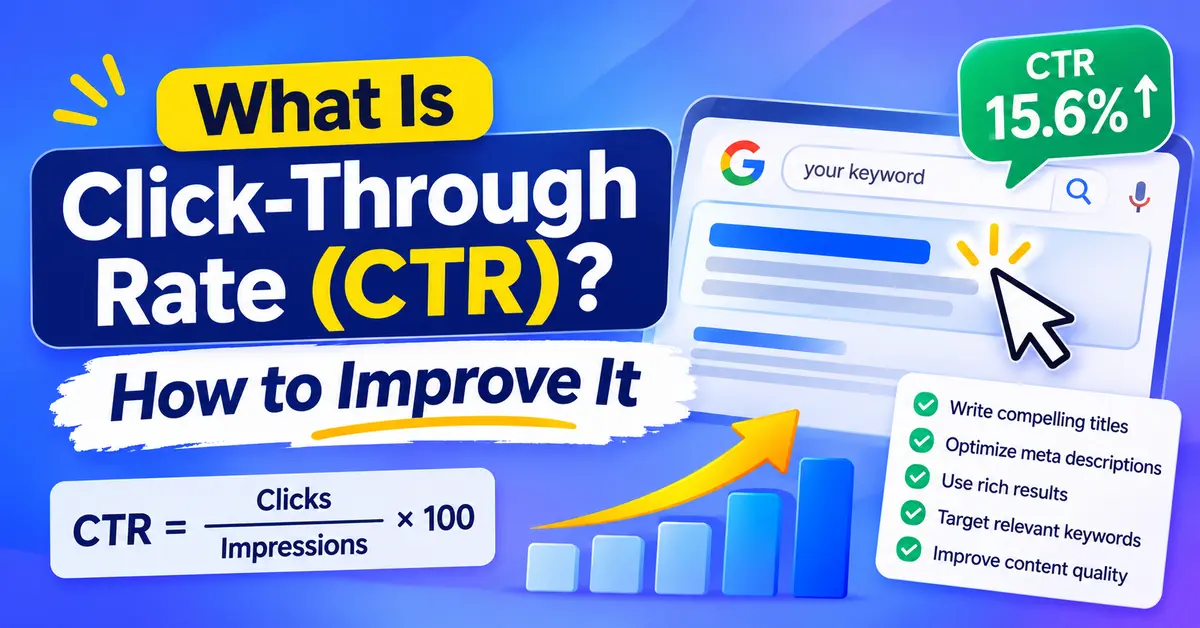
Click-through rate measures how often people click your website after seeing it in search results. It helps you understand whether your page titles, descriptions and search listings attract attention.
In this guide, you will learn what CTR means, how to calculate it, what makes a good organic CTR and how to improve it using practical SEO techniques.
Table of Contents
What Is Click-Through Rate (CTR)?
Click-through rate (CTR) is the percentage of impressions that generate clicks. In organic search, CTR measures how often someone clicks your website after seeing its listing on a Google search results page.
For example, imagine your webpage receives 1,000 impressions and 50 clicks. Your organic CTR is 5%. A higher CTR means more people click your search listing relative to its impressions. A lower CTR means fewer people choose your result.
CTR helps website owners understand how effectively their search listings attract visitors.
Where Does CTR Matter?
CTR plays an important role in several digital marketing channels:
- Organic SEO: Measures clicks from unpaid search results.
- Google Ads: Measures how often people click your advertisements.
- Email marketing: Tracks clicks on links inside email campaigns.
- Social media advertising: Measures interactions with advertising links.
- Affiliate marketing: Tracks clicks on affiliate links.
This article focuses on organic search CTR because it helps businesses understand their Google search performance.
How to Calculate Click-Through Rate
You can calculate CTR using a simple formula:
CTR = (Total Clicks ÷ Total Impressions) × 100
Let’s look at an example.
Suppose one of your website pages receives 2,500 impressions and 125 clicks from Google search results.
CTR = (125 ÷ 2,500) × 100
CTR = 5%
Here are a few more examples:
| Impressions | Clicks | CTR |
|---|---|---|
| 1,000 | 20 | 2% |
| 2,000 | 100 | 5% |
| 5,000 | 400 | 8% |
| 10,000 | 300 | 3% |
The calculation shows how often people click your search result compared with how often Google displays it.
What Are Impressions and Clicks?
Two metrics help you understand organic CTR.
Impressions: Google counts an impression when your website listing appears in search results under the applicable Search Console counting rules.
Clicks: A click occurs when someone selects your website listing and visits your page from Google Search.
Google Search Console calculates CTR automatically. You can review it without using a separate analytics tool.
Where to Find Organic CTR in Google Search Console
Google Search Console provides the data you need to monitor your website’s organic CTR.
Follow these steps:
- Open Google Search Console.
- Select your website property.
- Open Performance > Search results.
- Enable the Total clicks metric.
- Enable the Total impressions metric.
- Enable Average CTR.
- Enable Average position.
You can now review your website’s search performance.
Google Search Console also lets you analyse CTR by individual queries, pages, countries and devices.
For example, open the Pages tab to find which URLs receive the most impressions. Select a specific page to review the search queries that generate its impressions and clicks.
Want to understand the other reports? Read our guide on how to use Google Search Console.
How to Find Pages With High Impressions but Low CTR
Pages with high impressions and relatively low CTR deserve attention.
Use this process:
- Open the Performance report.
- Select the Pages tab.
- Sort the results by impressions.
- Identify pages with substantial impressions but comparatively low CTR.
- Check their average positions.
- Review the queries that trigger those pages.
- Compare their titles and descriptions with competing search results.
Do not assume every low-CTR page needs a title change. First, check its ranking position, search intent and the features Google displays for the target query.
What Is a Good CTR for SEO?
There is no universal CTR percentage that guarantees good SEO performance.
Your organic CTR depends on several factors, including:
- Google ranking position
- Search intent
- Keyword competition
- Industry and niche
- Mobile and desktop search behaviour
- Featured snippets and other SERP features
- Google AI Overviews
- Brand recognition
For example, a website ranking in position one may receive a very different CTR from a website ranking in position eight.
A branded search may also produce a different CTR from a general informational keyword.
Should You Use Industry CTR Benchmarks?
Industry benchmarks can provide useful context, but they should not become your main performance target.
Compare pages with similar ranking positions, search intent and search result layouts.
For example, compare two informational pages that both rank around position three. A significant CTR difference may indicate that one title or description attracts more attention.
Also compare your current performance with previous periods.
This gives you a more realistic picture of whether your SEO improvements work.
How AI Overviews Affect Organic Click-Through Rate
Google AI Overviews have changed how people interact with search results.
Instead of visiting a website for every question, users can now read AI-generated summaries directly on Google.
This creates a challenge for websites that depend on organic search traffic.
A July 2025 Pew Research Center study provides useful evidence.
Researchers analysed browsing activity from 900 US adults and examined 68,879 unique Google searches conducted during March 2025.
The study found:
- Users clicked a traditional search result on 8% of visits when an AI summary appeared.
- Users clicked a traditional result on 15% of visits when no AI summary appeared.
- Users clicked a link inside an AI summary on approximately 1% of visits.
- Around 18% of the Google searches in the study produced an AI summary.
These figures describe a specific US research sample and period. They do not represent a universal CTR benchmark for every website or today’s search results.
Read the original research: Google Users Are Less Likely to Click on Links When an AI Summary Appears in the Results.
What Should Website Owners Do?
Businesses should adapt their SEO strategies to changes in search behaviour.
Focus on:
- Publishing useful, accurate and original information.
- Answering search questions clearly.
- Demonstrating real experience and subject knowledge.
- Creating content that addresses specific user needs.
- Improving page titles and meta descriptions.
- Building relevant internal links.
- Monitoring impressions, clicks and organic conversions.
Google Search Console also reports clicks on links within AI Overviews. Review your search performance data to understand how these features affect your website.
Is CTR a Google Ranking Factor?
Do not treat organic CTR as a guaranteed Google ranking improvement technique.
Google does not publish a simple ranking formula that says a higher CTR automatically improves a page’s position.
CTR works best as a search performance metric. It shows how effectively your search listings attract visitors.
For example, two pages might rank in similar positions, but one receives more clicks because its title better matches the searcher’s expectations.
Improving CTR can increase organic traffic without requiring a ranking change.
The main objective should be to create relevant search listings that attract the right visitors.
7 Practical Ways to Improve Organic CTR
You do not always need more backlinks or new content to increase organic traffic.
Some pages already receive enough search impressions. They simply need better search listings.
Here are seven practical ways to improve organic CTR.
1. Write Better SEO Title Tags
Your title tag plays an important role in attracting clicks from Google.
It tells searchers what your page covers before they visit your website.
A good SEO title should:
- Include the primary keyword naturally.
- Explain the page’s main topic.
- Match the searcher’s intent.
- Communicate a clear benefit.
- Avoid unnecessary keyword repetition.
- Use unique wording for each important page.
Example:
Weak title: SEO Services
Improved title: SEO Services for Small Businesses: What to Expect
The improved title provides more context and helps searchers understand what they will find.
Aim for a concise title that fits Google’s search display. Google truncates title links based on available display width, not a fixed character limit.
Google may also generate a different title link using your page title, headings and other prominent information.
Read our detailed guide on title tag optimization.
2. Write Compelling Meta Descriptions
A meta description summarises your webpage.
Google may use it to generate the snippet shown below your title in search results. Google can also select relevant text directly from your page.
A useful meta description should:
- Describe the actual page content.
- Include the main topic naturally.
- Explain what readers can expect.
- Match the search intent.
- Give users a clear reason to visit.
Example:
Learn how organic CTR works, calculate your click-through rate and discover practical ways to improve Google search traffic using Search Console.
Avoid generic descriptions that do not explain the page’s value.
Google does not guarantee that it will display your exact meta description.
Read Google’s official guide to writing meta descriptions.
3. Improve Your Main Heading (H1)
Your H1 tells visitors what your webpage covers.
A clear heading also helps search engines understand the page’s main subject.
For example:
SEO title: What Is Click-Through Rate (CTR)? How to Improve It
H1: What Is Click-Through Rate and How Can You Improve It?
Your SEO title and H1 can use slightly different wording, but both should describe the same topic.
Use H2 headings for main sections and H3 headings for relevant subsections.
Read our guide on header tags (H1, H2 and H3) for SEO.
4. Match Your Content With Search Intent
Search intent explains what someone wants to achieve through a search.
A person searching for “what is CTR” probably wants a definition and explanation.
Someone searching for “how to improve organic CTR” wants practical optimisation steps.
Your search listing should reflect that difference.
Review the current Google results for your target keyword. Check the titles, content formats and questions that competing pages address.
Then make sure your page provides the information users expect.
A relevant title can attract more qualified clicks than a vague or misleading headline.
5. Use Structured Data Correctly
Structured data helps search engines understand information on your website.
Google supports several structured data types, including:
- Article
- BreadcrumbList
- Product
- Organization
- LocalBusiness
Choose the schema type that accurately represents your page.
Follow Google’s structured data guidelines and ensure your markup matches the visible content.
Valid structured data can make eligible pages qualify for certain enhanced search appearances, but it does not guarantee rich results or higher rankings.
6. Keep Your Content Updated
Outdated content can reduce user confidence and make your search listing less attractive.
Review your important pages regularly.
Update them when:
- Your information becomes outdated.
- Your target search intent changes.
- Your examples no longer apply.
- Your title no longer describes the content.
- New information adds genuine value.
Do not change publication dates simply to make old content appear new.
Focus on meaningful improvements that help visitors.
Our guide on how to optimize a blog post after publishing explains how to review and improve existing articles.
7. Improve Your On-Page SEO
Your search listing should accurately represent the page visitors see after clicking.
A misleading title might attract clicks, but visitors may leave when the content does not match their expectations.
Review these on-page elements:
- SEO title and meta description
- H1 and heading hierarchy
- Content quality and relevance
- Internal linking
- Image optimisation
- Mobile usability
- Page loading performance
A well-structured webpage helps visitors find information and navigate related content.
Read our complete on-page SEO guide for more optimisation techniques.
Why Does Your Website CTR Suddenly Drop?
A sudden CTR decline does not always indicate an SEO penalty or technical problem.
Several factors can affect your search performance.
| Possible Cause | What to Check |
|---|---|
| Ranking position changes | Compare average position over time |
| Google AI Overviews | Review the current search results |
| Competitor improvements | Compare competing titles and snippets |
| Seasonal search demand | Compare similar periods |
| Search intent changes | Review the queries generating impressions |
| Google title rewrites | Check how your title appears in search |
| Device differences | Compare mobile and desktop performance |
Use Google Search Console to identify the cause before changing your website.
For example, a page may maintain its average ranking position while its CTR drops. In that case, investigate changes to the search results page, competing listings and search intent.
Our guide to SEO metrics that actually matter explains how to interpret clicks, impressions, CTR and other performance indicators.
How Long Does It Take to Improve CTR?
CTR improvements do not happen immediately after you update a title or meta description.
Google needs to recrawl your webpage and process the updated information.
After that, it may display your revised title or description in search results.
Use this simple testing process:
- Record the page’s existing impressions, clicks, CTR and average position.
- Identify the main reason for its low CTR.
- Update the title or meta description where necessary.
- Request a recrawl through Google’s URL Inspection tool.
- Monitor performance over the following weeks.
- Compare the results with your previous performance.
Try to compare similar periods and account for seasonal changes.
Avoid changing several elements simultaneously. Make focused updates so you can better understand which changes contributed to the result.
Frequently Asked Questions About Click-Through Rate
What Is a Good Organic CTR?
There is no universal good CTR for organic search. Your ranking position, search intent, competition and SERP features all influence the result. Compare pages with similar rankings and search intent to establish a useful benchmark.
How Do I Calculate CTR?
Divide total clicks by total impressions and multiply the result by 100. For example, 50 clicks from 1,000 impressions produce a 5% CTR.
Does CTR Affect Google Rankings?
Do not assume that a higher organic CTR automatically improves rankings. Google does not provide a public formula that guarantees ranking improvements from CTR changes. Use CTR to measure search listing performance and identify opportunities to attract more visitors.
Why Is My CTR Low Even When My Website Ranks First?
A first-position ranking does not guarantee a high CTR. Search ads, AI Overviews, featured snippets, brand recognition and search intent can influence user behaviour. Review the actual search results and compare your title with competing listings.
Can I Improve CTR Without Improving Rankings?
Yes. A more relevant title and compelling search snippet can attract additional clicks from existing rankings. Monitor average position alongside CTR to understand the changes.
Does Google Always Use My Meta Description?
No. Google may use your meta description or generate a snippet from the page content based on the search query. Write accurate descriptions, but do not expect Google to display them for every search.
How Can I Track Organic CTR?
Use Google Search Console. Open Performance > Search results and enable Average CTR. You can analyse performance by page, query, country and device.
What Is the Difference Between CTR and Conversion Rate?
CTR measures the percentage of impressions that generate clicks. Conversion rate measures the percentage of visitors who complete a desired action, such as purchasing a product, submitting a contact form or requesting a quote.
Both metrics matter because attracting visitors and converting them into customers are different parts of the marketing process.
Final Thoughts
Click-through rate helps you understand how effectively your website attracts visitors from Google search results. A strong ranking is important, but your title, description, search intent and competing search features also influence whether someone clicks your website.
Start with Google Search Console. Identify pages that receive substantial impressions but comparatively few clicks. Review their search listings, compare competing results and make focused improvements.
Also monitor how AI Overviews and other search features affect your organic visibility. Remember that CTR is only one part of SEO performance. Track organic clicks, qualified traffic and conversions together to understand the actual value of your search visibility.
Want to improve your website’s search visibility? Rankiwis helps businesses improve their online presence through SEO and WordPress solutions. Contact Rankiwis to discuss your website’s SEO opportunities and find areas that need improvement.